CI/CD#
This section describes the DevOps strategy - that is, the tools and processes used to ensure efficient project delivery. This is primarily the CI/CD pipeline that runs via GitHub Actions.
Automating Testing#
Reference - .github/workflows/CI.yml
This workflow runs all the unit tests in tests/ when a pull request is created and updated. This enables peers to validate that all tests pass without having to pull the code and test it locally. It also provides the added benefit of ensuring compatibility with other OS as the GitHub runner can be configured to support Windows, Linux, and MacOS.
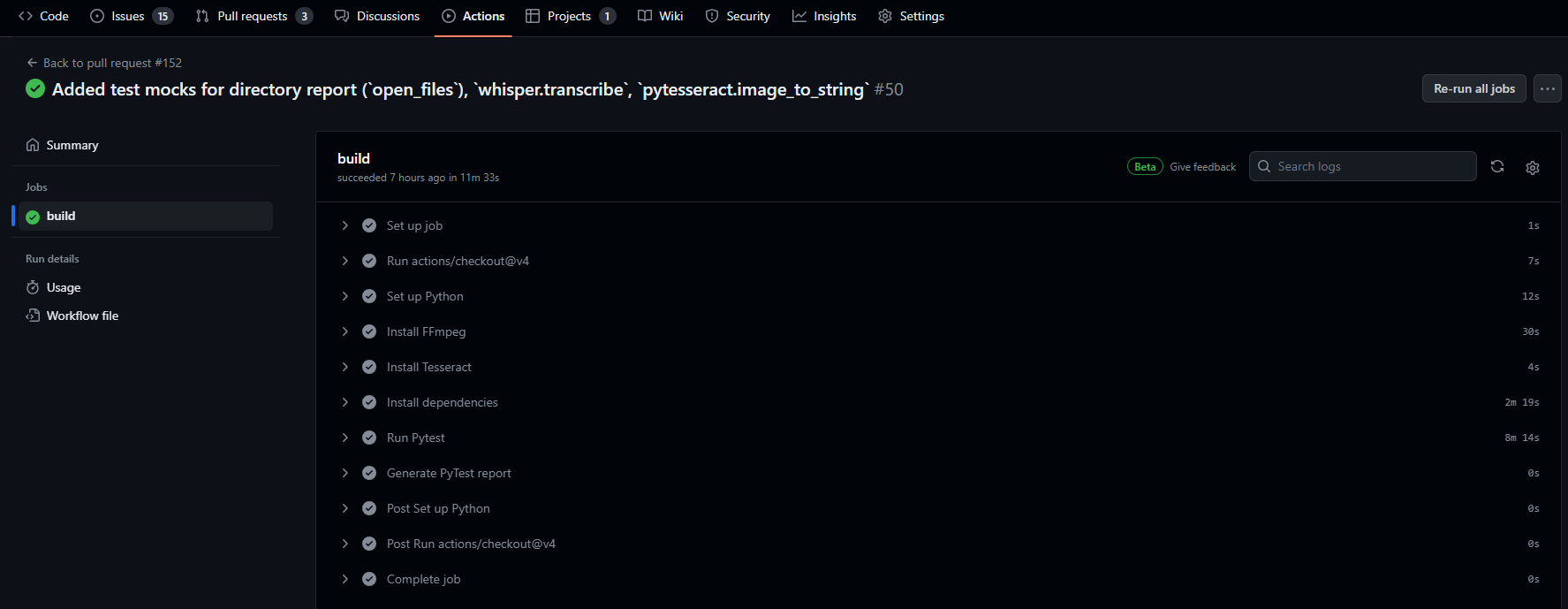
The script first installs the external dependencies ffmpeg and Tesseract before installing the Python dependencies in requirements.txt and running the unit tests in tests/. The overall runtime is approximately 12 minutes. Refer to the below for a visual walkthrough:
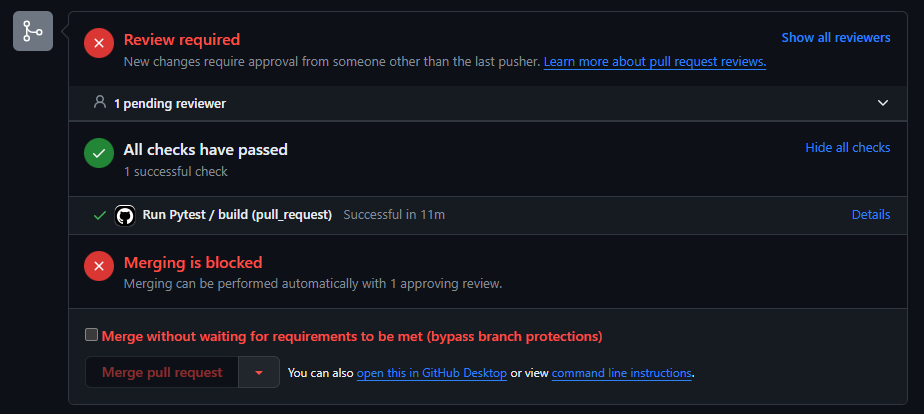
Tests are run when a PR is made or changed. The green check indicates all tests have passed, a yellow circle means a run is in progress, and a red ‘x’ signals there is an error.

This component appears at the bottom of a PR and shows the results of the workflow.
This screen shows each step in a workflow
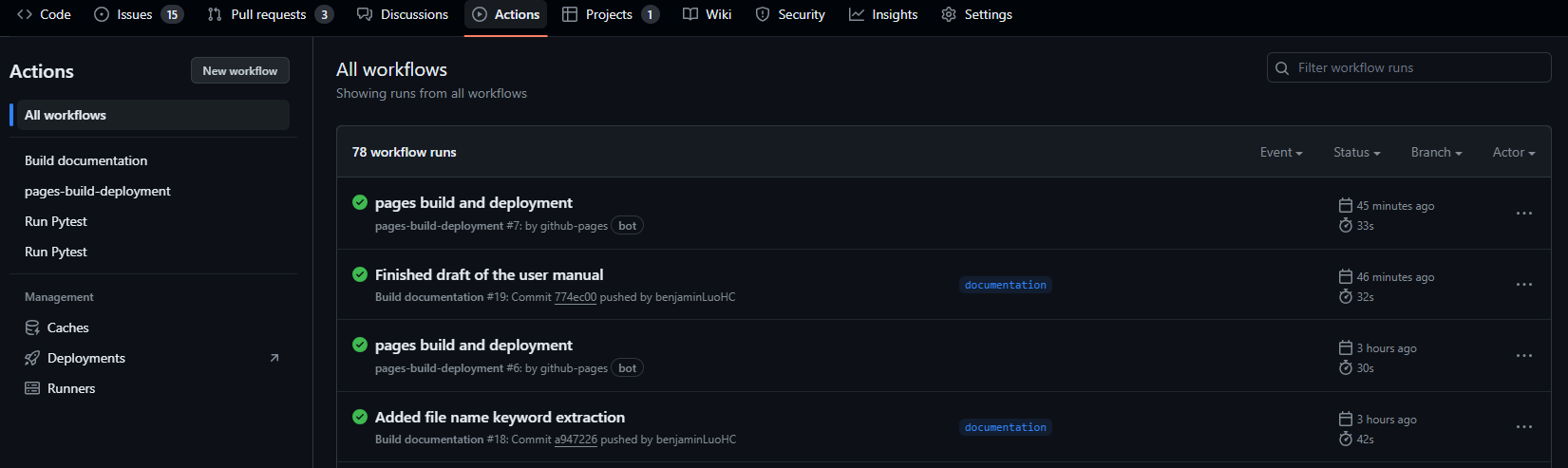
This tab shows all workflows.
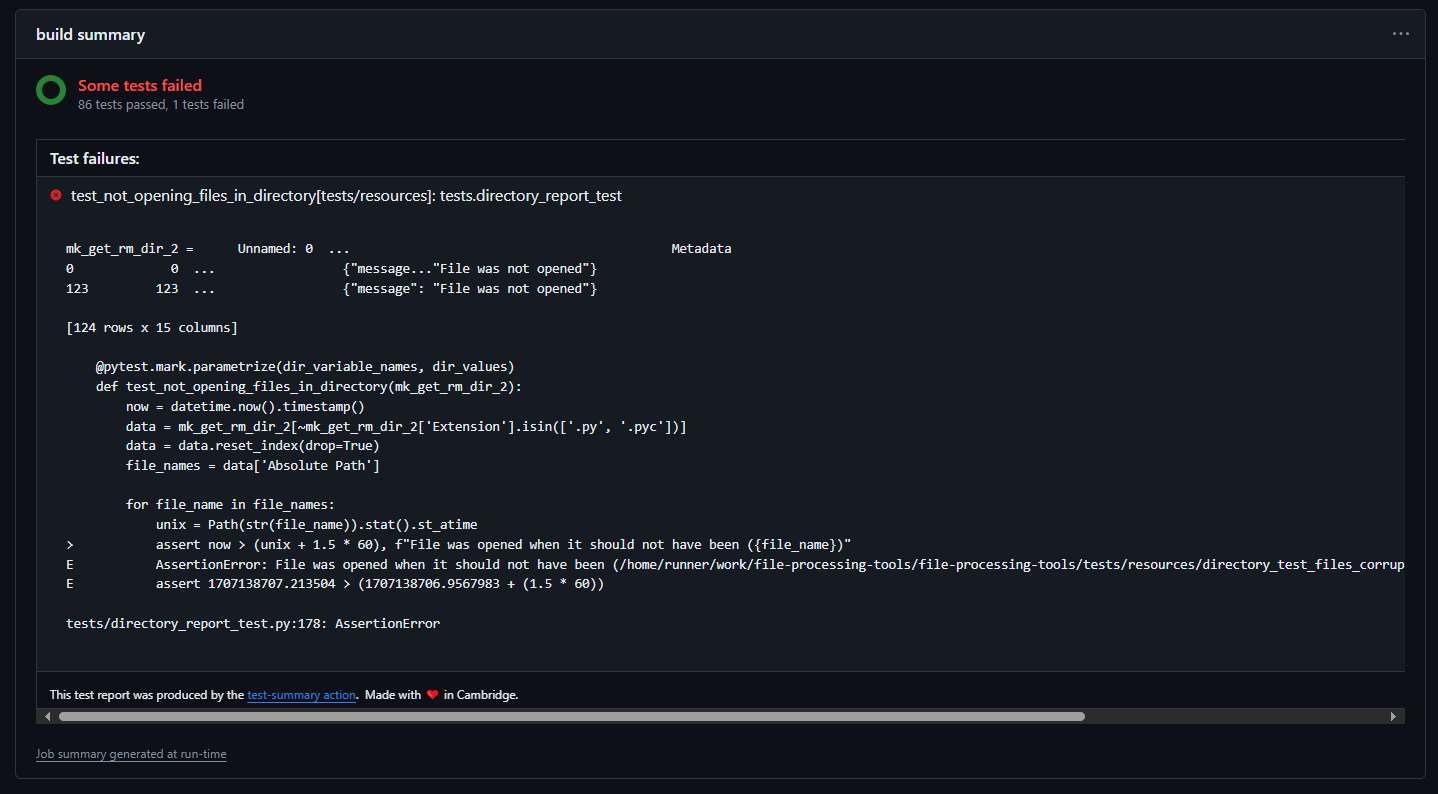
If the workflow fails, it is helpful to view the Summary through the Actions tab to see where the error is.
Automating Documentation#
This workflow enables the automatic updating of the project documentation which is hosted on GitHub pages. As an overview:
The documentation is built into a static website in the
docs/build/htmlfolder via./make htmlThe
docs/build/htmlfolder is extracted and pushed to thegh-pagesbranchAnother workflow is automatically triggered to publish the
index.htmlfile to GitHub pages
In this way, a single push to the documentation branch is able to trigger a series of actions to ultimately update the project website.